
Article Summary:
- An executive summary distills complex reports into 1-2 pages that busy board members can read in under 5 minutes
- Essential components include context, key findings, financial impact, options analysis, and clear recommendations
- Board members read executive summaries first to decide if they need the full report – make every word count
- Good summaries answer “what decision do you need from us?” within the first paragraph
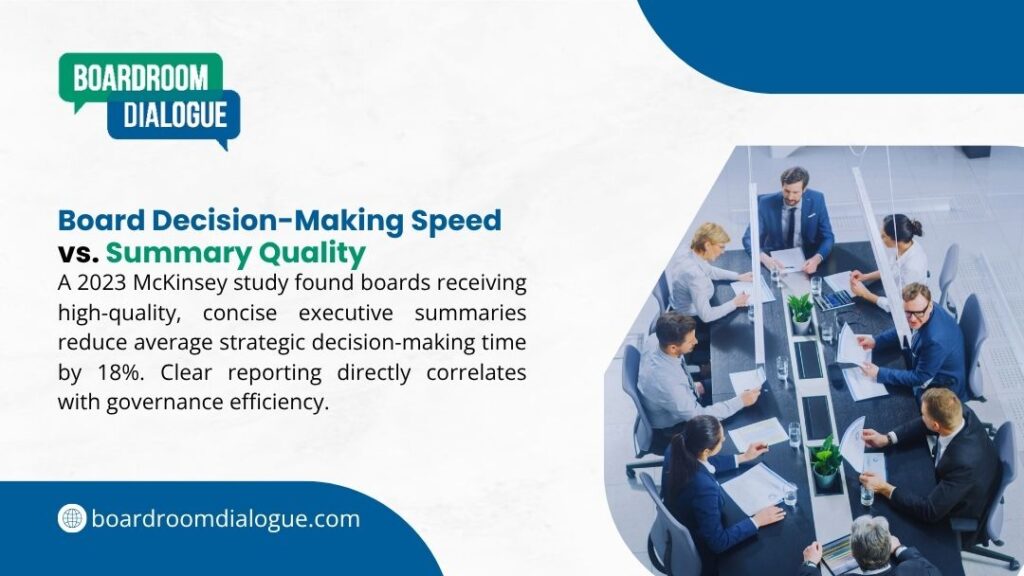
- Research shows 67% of board members rely primarily on executive summaries rather than full reports for routine matters
- Write the summary last after completing the full report to ensure accuracy and proper emphasis
This guide explains what to include in an executive summary that captures attention, communicates clearly, and supports effective board decisions.
Why Executive Summaries Matter for Board Reports?
Board members face constant time pressure. They balance board duties with full-time roles, other board positions, and personal commitments.
Executive summary components serve a specific purpose in this context. They help directors quickly assess which items need their detailed attention and which they can approve based on the summary alone.
| Challenge | How Executive Summaries Help |
| Time constraints | Communicate key points in 5 minutes or less |
| Information overload | Filter essential from supporting detail |
| Decision focus | Clarify exactly what the board needs to approve |
| Meeting efficiency | Enable directors to arrive prepared for discussion |
| Risk assessment | Highlight issues requiring board attention |
The connection between clear reporting and board effectiveness is direct. Boards that receive concise, well-organized summaries make better decisions faster.
Core Elements Every Executive Summary Needs
Knowing what to include in an executive summary starts with understanding the core elements directors expect.
1. Context and Purpose
Start by explaining why this report exists and why it matters now. Board members need to understand the backdrop before they can evaluate your recommendations.
| Element | What to Include | Length |
| Background | Brief situation overview | 1-2 sentences |
| Timing | Why this needs board attention now | 1 sentence |
| Decision Required | What approval or guidance you need | 1 sentence |
Example: “Following Q3 results that missed targets by 15%, management conducted a strategic review of our European operations. This report presents restructure options that require board approval before year-end to meet regulatory deadlines.”
2. Key Findings or Situation Analysis
Present the most important facts that led to your recommendations. Focus on data that directly supports your proposed action.
Use bullet points for complex information:
- Current state or problem definition
- Root causes identified through analysis
- Impact on strategy, operations, or finances
- Stakeholder implications
From our experience with preparing board reports, we can tell that directors appreciate when you separate facts (what we know) from interpretation (what we think it means).
3. Financial Impact
Board members always want to know the numbers. State financial implications clearly and completely.
| Financial Element | Required Detail |
| Costs | One-time and ongoing expenses |
| Revenue Impact | Projected gains or losses |
| Budget Source | Where funding comes from |
| ROI Timeline | When investment pays back |
| Risk Range | Best/worst case scenarios |
Avoid burying financial information in paragraphs. Use a simple table or bullet list that shows the bottom line immediately.
4. Options Considered
Show that management evaluated alternatives before reaching its recommendation. This demonstrates thorough analysis and gives the board context for your proposal.
Present 2-4 options maximum. More than that suggests unclear strategy or indecisive management.
For each option include:
- Brief description (1 sentence)
- Key advantages
- Key disadvantages
- Estimated cost
5. Clear Recommendation
State exactly what you want the board to do. Never make directors guess what action you’re requesting.
Good: “Management recommends approval of Option 2 (regional restructure) with a budget of $4.2M and implementation timeline of 18 months.”
Bad: “We believe the analysis supports taking action to address market conditions.”
The first version tells directors exactly what they’re being asked to decide. The second wastes time while directors figure out what you actually want.
Understanding board papers preparation helps you see how summaries fit within the complete reporting framework boards expect.
Structure Your Summary for Quick Reading
When deciding what to include in an executive summary, length and format matter as much as content.
Length guidelines:
| Report Length | Summary Length | Reading Time |
| Under 10 pages | 0.5-1 page | 2-3 minutes |
| 10-25 pages | 1-1.5 pages | 4-5 minutes |
| 25-50 pages | 1.5-2 pages | 5-7 minutes |
| Over 50 pages | 2 pages maximum | 7-10 minutes |
Never exceed 2 pages regardless of report length. If you can’t summarize in 2 pages, your report probably lacks focus.
Visual hierarchy matters:
Use clear headers for each section. Directors should be able to scan the summary and find specific information instantly.
White space helps readability. Dense text blocks discourage reading. Short paragraphs and bullet points guide the eye through content naturally.
Bold key numbers and dates so they stand out. Directors scanning quickly should catch critical figures without close reading.
Common Mistakes That Weaken Summaries
From the work that Boardroom Dialogue has done with reviewing board materials, certain problems appear repeatedly in executive summaries.
Mistake | Why It Fails | How to Fix |
| Writing it first | Summary doesn’t match final report | Always write summary last |
| Vague recommendations | Board can’t act on unclear requests | State exactly what you need |
| Missing financials | Directors can’t evaluate without numbers | Always include cost/benefit data |
| Too much detail | Summary becomes mini-report | Focus on decisions, not background |
| Jargon and acronyms | Creates confusion and questions | Use plain language throughout |
The “so what” test helps eliminate unnecessary content. For every fact in your summary, ask “so what?” If you can’t connect it directly to the decision at hand, cut it.
The “tomorrow test” reveals vague writing. If the board approved your recommendation tomorrow, would they know exactly what they authorized? If not, add specificity.
Links to board evaluation often reveal that unclear reporting contributes to governance weaknesses boards want to address.
Write for Your Audience
Board members come from diverse backgrounds. Your summary needs to work for directors with deep expertise in your area and those with none.
Avoid assumptions about knowledge:
Don’t assume everyone understands industry terminology, internal abbreviations, or technical concepts. Either explain briefly or use simpler language.
Example: Instead of “The API integration timeline slipped due to OAuth implementation complexity,” write “The system connection took longer than planned because of security protocol requirements.”
Respect their time:
Directors volunteer their expertise and time. Summaries that meander or bury key points waste this valuable resource.
Get to the point in the first paragraph. Background and context matter, but the decision request should appear within the first 100 words.
Match the decision’s importance:
Routine approvals need basic summaries covering essentials. Major strategic decisions deserve more comprehensive summaries that explore implications thoroughly.

Tailor Content to Report Type
Different report types need different executive summary content emphasis.
Strategic proposals:
Focus on alignment with company strategy, competitive implications, and long-term impact. Boards want to understand how this fits the big picture.
Financial reports:
Emphasize variances from budget/forecast, cash flow implications, and outlook. Boards need to spot problems early and understand drivers of results.
Risk reports:
Highlight new or elevated risks, mitigation status, and areas requiring board guidance. Boards fulfill oversight duties through risk review.
Project updates:
State current status against plan, issues requiring escalation, and decisions needed to proceed. Boards want to know if projects stay on track.
Understanding board packs preparation shows how different report types combine to give boards complete information for each meeting.
Use Data Effectively
Numbers strengthen summaries when presented clearly. Tables work better than paragraphs for comparing options or showing trends.
Comparison table example:
| Option | Cost | Timeline | Risk Level |
| Option A: Status Quo | $0 | – | High |
| Option B: Incremental Change | $800K | 6 months | Medium |
| Option C: Full Transformation | $3.2M | 18 months | Medium |
This format lets directors compare options at a glance rather than extracting information from prose.
Trend presentation:
Show 3-5 years of data for context. One data point rarely tells the story. Directors need to see patterns and trajectories.
Highlight the insight, not just the data. “Revenue declined 12% year-over-year” states a fact. “Revenue declined 12% as our largest customer switched to a competitor” explains what happened and why it matters.
Quality Check Before Submission
This checklist ensures you’ve covered what to include in an executive summary that boards actually use:
Content verification:
- Does the opening paragraph state the decision needed?
- Are all financial impacts clearly stated?
- Does the recommendation specify exactly what you’re requesting?
- Have you included options considered beyond your recommendation?
- Can someone unfamiliar with the project understand the issue?
Writing quality:
- Is every sentence necessary?
- Have you eliminated jargon and acronyms?
- Do headers clearly indicate section content?
- Are key numbers and dates highlighted?
- Does the summary match the full report’s content?
Format check:
- Length stays within 2 pages maximum?
- White space makes content scannable?
- Tables have clear headers?
- Page references guide readers to detail?
Many companies now include executive summary quality as part of board effectiveness review processes, recognizing that clear reporting supports good governance.
When to Write the Summary
Always write your executive summary after completing the full report, not before.
Starting with the summary creates problems. You might commit to a recommendation before analysis is complete. The summary might not match final findings. Key details discovered during writing won’t make it into the summary.
Write the full report first. This ensures your analysis is complete and your recommendation is sound.
Then draft the summary by asking: “If the board reads only these two pages, what must they know to make an informed decision?”
Review the summary against the report. Do they tell the same story? Does every claim in the summary have support in the full report?
Have someone unfamiliar with the project read your summary. Can they understand the issue and recommendation without additional explanation? Their questions reveal what needs clarification.
Build Exceptional Board Effectiveness That Fits Your Organization’s Needs
If you want to conduct a board effectiveness review that is strong and delivers real insights, the best move is working with experienced governance professionals who handle board assessments daily.
Boardroom Dialogue has earned the trust of corporate boards through years of specialized review work. We have helped boards across the UK and Europe identify governance gaps, develop practical improvement plans, and implement changes that stick.
We handle everything from comprehensive effectiveness reviews and objective analysis to action planning and implementation support. We work with corporate boards, executive teams, and leadership bodies seeking honest assessment and meaningful governance improvement.
Get your free board effectiveness consultation to discuss your board’s specific situation and explore how a professional review can strengthen your governance and strategic impact.
Common Questions About Executive Summaries for Board Reports
How long should an executive summary be for a board report?
Keep summaries to 1-2 pages maximum regardless of report length. Most summaries should be readable in 5 minutes or less. If you need more space, your report probably lacks focus or you’re including too much detail in the summary.
Should I write the executive summary before or after the full report?
Always write the summary last after completing your full report. This ensures the summary accurately reflects your final analysis and recommendations. Starting with the summary often leads to mismatches between summary and report.
What’s the most important element to include?
The decision request is most critical. Board members need to know within the first paragraph exactly what action you’re asking them to take. Everything else supports that decision, but without a clear ask, directors don’t know what they’re meant to do with your report.
How technical should language be in board summaries?
Use plain language that any educated reader can understand. Avoid jargon, acronyms, and technical terms unless essential – and explain them briefly when used. Board members come from diverse backgrounds, so write for the director with the least familiarity with your area.